
Beginner Picks – Budget Friendly for 1080P
Affordable Apex Legends for smooth 1080p gaming, creative mode, and everyday use.

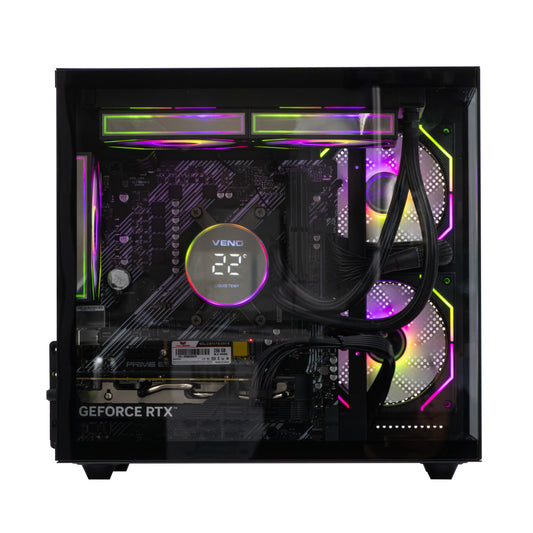
Mini Nemesis 3 - AMD RYZEN 5 4500 16GB RTX 3050
Free delivery
Get it tomorrow
Processor
Ryzen 5
Graphics Card
RTX 3050 6GB
Storage
SSD
Memory
16GB
Regular price
From £699.00 GBP
Regular price
Sale price
From £699.00 GBP

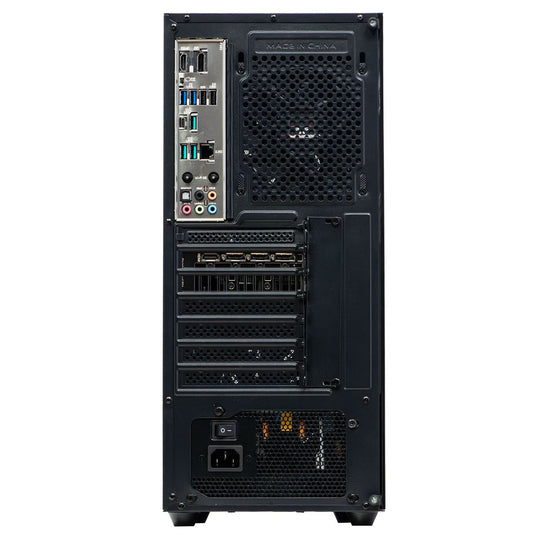
TITAN - AMD Ryzen 5 4500 16GB AMD RX580 8GB
Free delivery
Get it tomorrow
Processor
Ryzen 5
Graphics Card
RX 580 8GB
Storage
SSD
Memory
16GB
Regular price
From £569.00 GBP
Regular price
£549.00 GBP
Sale price
From £569.00 GBP
TITAN - AMD Ryzen 5 5500 16GB AMD RX580 8GB
Free delivery
Get it tomorrow
Processor
Ryzen 5
Graphics Card
RX 580 8GB
Storage
SSD
Memory
16GB
Regular price
From £579.00 GBP
Regular price
£569.00 GBP
Sale price
From £579.00 GBP

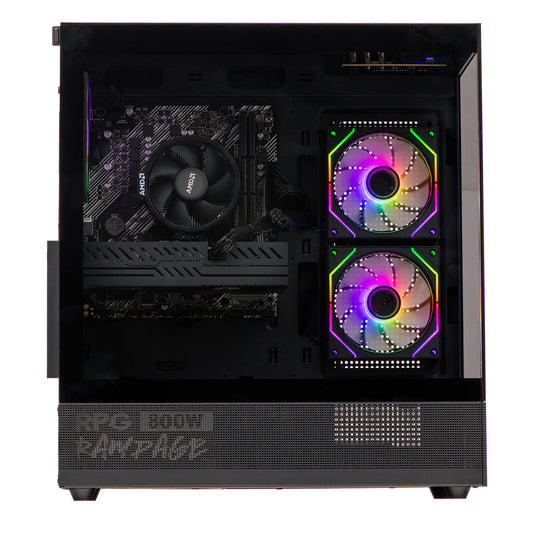
Spectra - Intel Core i5 12th 16GB AMD RX 580 8GB
Free delivery
Get it tomorrow
Processor
Intel Core i5
Graphics Card
RX 580 8GB
Storage
1TB SSD
Memory
16GB
Regular price
£689.00 GBP
Regular price
£749.00 GBP
Sale price
£689.00 GBP
Sale
Mini Nemesis 3 - AMD RYZEN 5 4500 16GB RTX 3050
Free delivery
Get it tomorrow
Processor Ryzen 5
Graphics Card RTX 3050 6GB
Storage SSD
Memory 16GB
TITAN - AMD Ryzen 5 4500 16GB AMD RX580 8GB
Free delivery
Get it tomorrow
Processor Ryzen 5
Graphics Card RX 580 8GB
Storage SSD
Memory 16GB
TITAN - AMD Ryzen 5 5500 16GB AMD RX580 8GB
Free delivery
Get it tomorrow
Processor Ryzen 5
Graphics Card RX 580 8GB
Storage SSD
Memory 16GB
Spectra - Intel Core i5 12th 16GB AMD RX 580 8GB
Free delivery
Get it tomorrow
Processor Intel Core i5
Graphics Card RX 580 8GB
Storage 1TB SSD
Memory 16GB
Pro Series – Competitive 144+ FPS
High-performance Apex Legends for esports with stutter-free 144+ FPS gameplay.
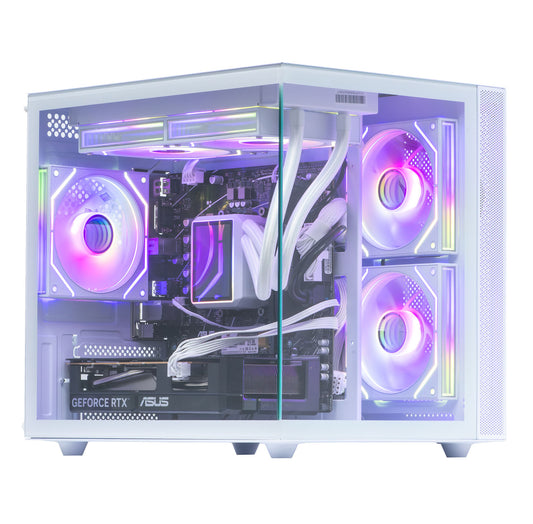
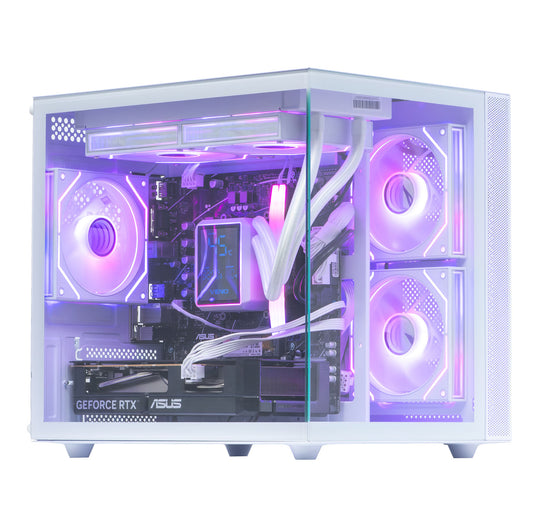
Mini Nemesis 3 - CORE i5 13th 16GB RTX 5050 8GB
Free delivery
Get it tomorrow
Processor
Intel Core i5
Graphics Card
RTX 5050
Storage
SSD
Memory
16GB
Regular price
From £1,159.00 GBP
Regular price
£1,500.00 GBP
Sale price
From £1,159.00 GBP
Sale

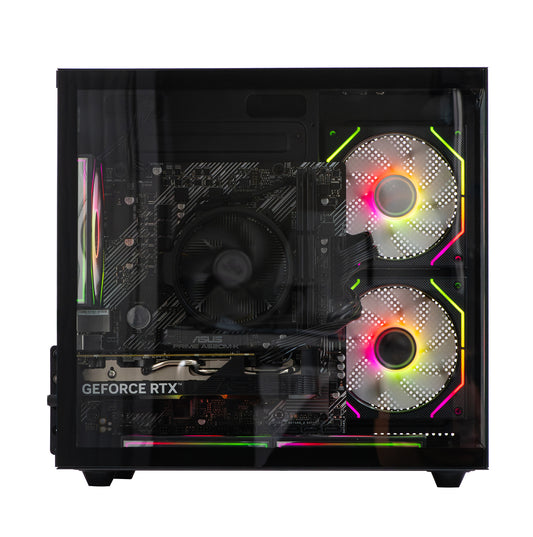
Mini Nemesis 5 Black - AMD RYZEN 5 5500 16GB Nvidia RTX 3050 6GB
Free delivery
Get it tomorrow
Processor
Ryzen 5
Graphics Card
RTX 3050 6GB
Storage
SSD
Memory
16GB
Regular price
From £719.00 GBP
Regular price
£0.00 GBP
Sale price
From £719.00 GBP

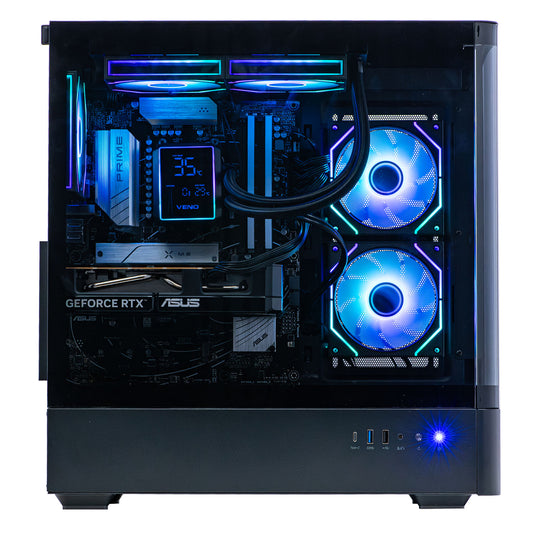
Ionix - AMD Ryzen 5 5500 16GB Nvidia RTX 5060 8GB
Free delivery
Get it tomorrow
Processor
Ryzen 5
Graphics Card
RTX 5060
Storage
SSD
Memory
16GB
Regular price
From £929.00 GBP
Regular price
£0.00 GBP
Sale price
From £929.00 GBP

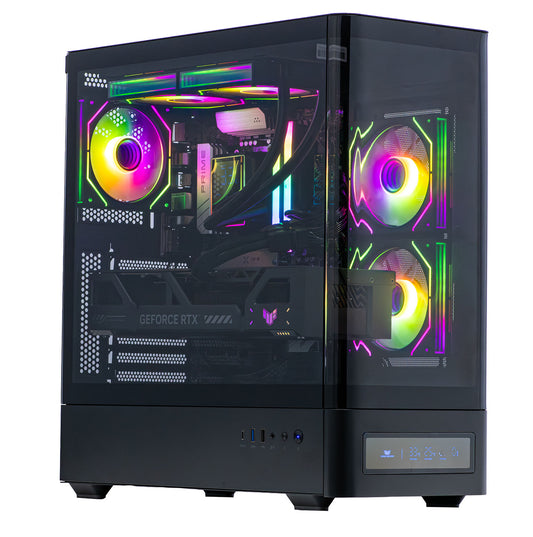
IONIX - Intel Core i7 12th 16GB RTX 5060 8GB
Free delivery
Get it tomorrow
Processor
Intel Core i7
Graphics Card
RTX 5060
Storage
SSD
Memory
16GB
Regular price
From £1,129.00 GBP
Regular price
£1,049.00 GBP
Sale price
From £1,129.00 GBP
Mini Nemesis 3 - CORE i5 13th 16GB RTX 5050 8GB
Free delivery
Get it tomorrow
Processor Intel Core i5
Graphics Card RTX 5050
Storage SSD
Memory 16GB
Mini Nemesis 5 Black - AMD RYZEN 5 5500 16GB Nvidia RTX 3050 6GB
Free delivery
Get it tomorrow
Processor Ryzen 5
Graphics Card RTX 3050 6GB
Storage SSD
Memory 16GB
Ionix - AMD Ryzen 5 5500 16GB Nvidia RTX 5060 8GB
Free delivery
Get it tomorrow
Processor Ryzen 5
Graphics Card RTX 5060
Storage SSD
Memory 16GB
IONIX - Intel Core i7 12th 16GB RTX 5060 8GB
Free delivery
Get it tomorrow
Processor Intel Core i7
Graphics Card RTX 5060
Storage SSD
Memory 16GB
Elite Series – 4K Ultra & Ray Tracing
Top-tier Apex Legends for 4K gaming, ray tracing, and demanding multitasking.
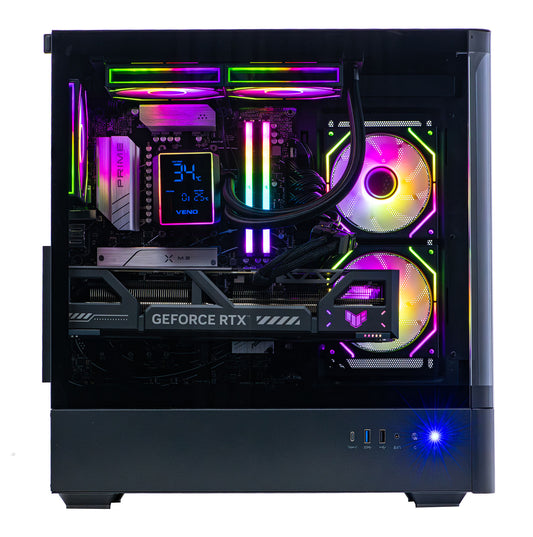
IONIX - Intel Core i7 14TH 32GB Nvidia RTX 5070ti 16GB
Free delivery
Get it tomorrow
Processor
Intel Core i7
Graphics Card
RTX 5070 Ti 16GB
Storage
SSD
Memory
32GB
Regular price
From £2,449.00 GBP
Regular price
£2,649.00 GBP
Sale price
From £2,449.00 GBP
Sale

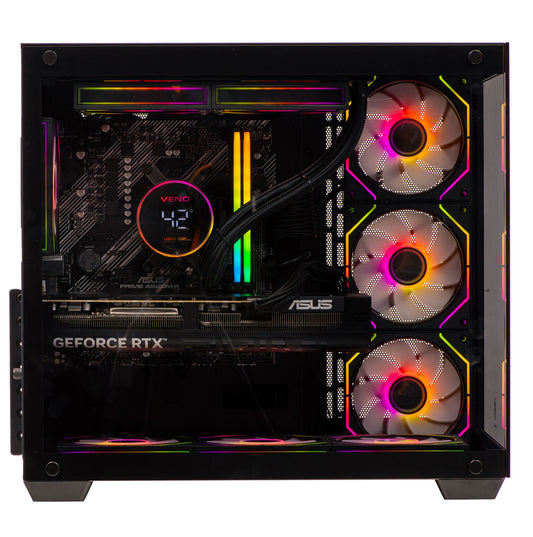
NEMESIS 4 - AMD Ryzen 5 9600X 32GB Nvidia RTX 5070ti 16GB
Free delivery
Get it tomorrow
Processor
Ryzen 5
Graphics Card
RTX 5070 Ti 16GB
Storage
1TB SSD
Memory
32GB
Regular price
From £2,289.00 GBP
Regular price
£2,399.00 GBP
Sale price
From £2,289.00 GBP
Sale

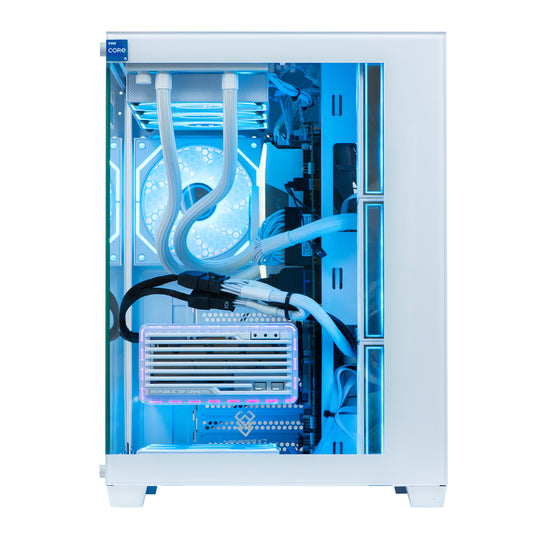
Nemesis 7 White - AMD Ryzen 7 9800X3D 32GB DDR5 GeForce RTX 5080 16GB
Free delivery
Get it tomorrow
Processor
Ryzen 7
Graphics Card
RTX 5080
Storage
SSD
Memory
32GB
Regular price
From £2,899.00 GBP
Regular price
£2,619.00 GBP
Sale price
From £2,899.00 GBP

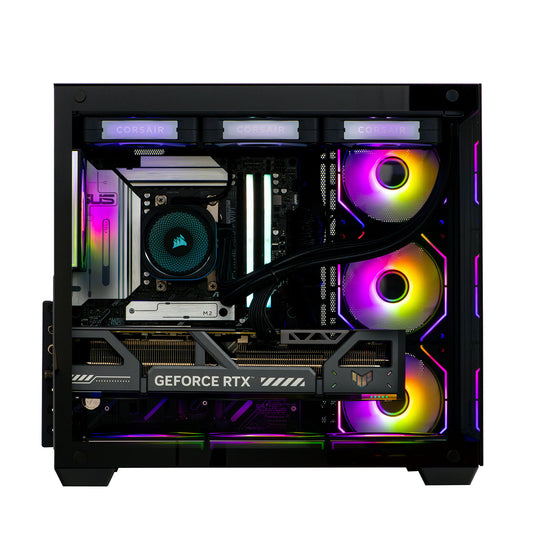
NEMESIS 7 - AMD RYZEN 9 7950X 32GB DDR5 Nvidia RTX 5090 32GB Ai
Free delivery
Get it tomorrow
Processor
Ryzen 9
Graphics Card
RTX 5090
Storage
1TB SSD
Memory
32GB
Regular price
From £5,799.00 GBP
Regular price
£3,799.00 GBP
Sale price
From £5,799.00 GBP
IONIX - Intel Core i7 14TH 32GB Nvidia RTX 5070ti 16GB
Free delivery
Get it tomorrow
Processor Intel Core i7
Graphics Card RTX 5070 Ti 16GB
Storage SSD
Memory 32GB
NEMESIS 4 - AMD Ryzen 5 9600X 32GB Nvidia RTX 5070ti 16GB
Free delivery
Get it tomorrow
Processor Ryzen 5
Graphics Card RTX 5070 Ti 16GB
Storage 1TB SSD
Memory 32GB
Nemesis 7 White - AMD Ryzen 7 9800X3D 32GB DDR5 GeForce RTX 5080 16GB
Free delivery
Get it tomorrow
Processor Ryzen 7
Graphics Card RTX 5080
Storage SSD
Memory 32GB
NEMESIS 7 - AMD RYZEN 9 7950X 32GB DDR5 Nvidia RTX 5090 32GB Ai
Free delivery
Get it tomorrow
Processor Ryzen 9
Graphics Card RTX 5090
Storage 1TB SSD
Memory 32GB
What Our Customers Say

Tips to Maximise Your Apex Legends Gaming PC
To keep your Apex Gaming PC performing at its best, follow these simple tips:
- Keep your graphics drivers updated for smooth gameplay and the latest performance optimisations.
- Monitor system temperatures to avoid overheating during long ranked or competitive sessions.
- Use enough RAM and a fast SSD to reduce load times and keep frame rates consistent in high-action moments.
- Pair your setup with a high-refresh-rate gaming monitor to fully enjoy the fast-paced action of Apex Legends.
By following these steps, your Apex Gaming PC will deliver stable, competitive gameplay for years. At VenoScorp, we build systems designed for longevity, so you can focus on climbing ranks, mastering legends, and securing wins instead of troubleshooting hardware issues.
Customising Your Apex Legends Gaming PC

At VenoScorp, we specialise in building and customising your Apex Gaming PC to match your playstyle and performance goals. Whether you want higher FPS, smooth 4K gameplay, or a personalised RGB design, we can optimise your system for the ultimate Apex Legends experience.
Customisation options include:
- Upgrade the GPU for higher frame rates and max settings
- Add extra RAM for multitasking and streaming
- Expand SSD storage for faster load times and future updates
- Personalise aesthetics with RGB lighting or premium cases
We can also customise any existing PC listing. If you like one of our current Apex Gaming PCs but want tweaks or upgrades, we can make it happen.
to discuss your perfect build — our team will guide you every step of the wa
Step into the world of Apex Legends with an Apex Gaming PC built for flawless performance and competitive gameplay. From fast-paced battle royale matches to intense ranked modes, every moment demands speed, precision, and power.
Our custom-built systems are tested to deliver smooth frame rates, sharp visuals, and zero stutter across all maps and legends — so whether you’re in World’s Edge, Storm Point, or Olympus, you’ll always stay ahead of the action.
Equipped with the latest graphics cards, high-speed SSDs, and advanced cooling, each Apex Gaming PC ensures your gameplay runs as smooth as your aim.
At VenoScorp, we design Apex Gaming PCs for every type of player. From affordable rigs for casual squads to high-end systems capable of 4K gaming and streaming, every PC is carefully assembled and tested in-house for peak performance and reliability.
Whether you’re playing casually, competing in ranked, or streaming your highlights, an Apex Gaming PC gives you the edge to secure the win.
Entry-Level
TITAN - AMD Ryzen 5 4500 16GB AMD RX580 8GB
Free delivery
Get it tomorrow
Processor
Ryzen 5
Graphics Card
RX 580 8GB
Storage
SSD
Memory
16GB
Regular price
From £569.00 GBP
Regular price
£549.00 GBP
Sale price
From £569.00 GBP
Mid Range
Mini Nemesis 3 - CORE i5 13th 16GB RTX 5050 8GB
Free delivery
Get it tomorrow
Processor
Intel Core i5
Graphics Card
RTX 5050
Storage
SSD
Memory
16GB
Regular price
From £1,159.00 GBP
Regular price
£1,500.00 GBP
Sale price
From £1,159.00 GBP
Sale
High End
Nemesis 7 White - AMD Ryzen 7 9800X3D 32GB DDR5 GeForce RTX 5080 16GB
Free delivery
Get it tomorrow
Processor
Ryzen 7
Graphics Card
RTX 5080
Storage
SSD
Memory
32GB
Regular price
From £2,899.00 GBP
Regular price
£2,619.00 GBP
Sale price
From £2,899.00 GBP
Why VenoScorp
-

Expertly built in Manchester and stress-tested to guarantee smooth gaming performance.
-

Lifetime UK support + thousands of 5★ reviews.
-

Easy upgrades: extra storage, RGB, cooling — your call.


Official partners:


Frequently Asked Questions –
Apex Legends Gaming PC
What is the Best Apex Legends Gaming PC for Smooth Gameplay?
For smooth and responsive gameplay, a mid-range Apex Gaming PC with an RTX 5060 Ti or higher GPU and at least 16GB of RAM is ideal. This setup ensures high frame rates at 1080p and 1440p, letting you enjoy fast-paced matches, responsive combat, and detailed environments without stutter or lag. For the ultimate experience, we recommend the mid-range build, which is perfect not only for Apex Legends but also for other competitive AAA shooters.
At VenoScorp, we offer a wide range of Apex Gaming PCs optimised for peak performance, and we can also customise any existing listing to suit your needs. Whether you want an upgraded GPU, extra RAM, or enhanced storage, simply call 0161 241 8412 or email support@veno-scorp.co.uk, and our team will help you get the perfect system for smooth, immersive gameplay.
Can an Apex Legends Gaming PC Run the Game in 4K?
Absolutely! A high-end Apex Gaming PC with an RTX 5080 or higher can run Apex Legends at 4K Ultra settings, delivering smooth frame rates, crisp textures, and fully immersive visuals. This ensures a cinematic and responsive gameplay experience, whether you’re dropping into matches, executing fast rotations, or competing in high-stakes ranked games.
At VenoScorp, we offer a wide range of Apex Gaming PCs optimised for 4K performance, and we can also customise any existing listing if you want upgrades or tweaks. Simply call 0161 241 8412 or email support@veno-scorp.co.uk, and our team will help configure a system that perfectly matches your display, settings, and competitive gaming goals.
How Much RAM is Recommended for an Apex Legends Gaming PC?
For smooth performance on an Apex Gaming PC, we recommend at least 16GB of RAM for 1080p or 1440p gameplay. This ensures fast, responsive action during intense matches, ranked lobbies, and casual play without stutter or slowdowns.
For 4K Ultra settings, competitive play, or future-proofing, 32GB of RAM or more is ideal. Any of our existing Apex Gaming PC listings with 16GB can be customised — just email support@veno-scorp.co.uk or call 0161 241 8412, and our team will help upgrade your PC to achieve your performance goals.
Do I Need an SSD for My Apex Legends Gaming PC?
Yes! An SSD is highly recommended for any Apex Gaming PC, as it greatly reduces load times, ensures smooth match transitions, and keeps gameplay uninterrupted. With an SSD, maps, textures, and assets load faster, giving you a seamless experience whether you’re playing casual matches, ranked lobbies, or competitive tournaments.
At VenoScorp, all our Apex Gaming PCs come with fast SSDs as standard. We can also help upgrade or expand storage if needed — simply call 0161 241 8412 or email support@veno-scorp.co.uk to discuss options and make sure your PC is fully optimised for peak Apex Legends performance.
Can I Upgrade My Apex Legends Gaming PC Later?
Absolutely! Every Apex Gaming PC from VenoScorp is built with future upgrades in mind. Most systems let you easily upgrade the GPU, add more RAM, or expand storage so your PC can keep up with new updates, seasonal events, and upcoming Apex Legends content.
At VenoScorp, we also offer upgrades for your existing PC — whether you want extra performance, more storage, or custom features, we’ll guide you through the best options. Simply call 0161 241 8412 or email support@veno-scorp.co.uk, and our team will help your Apex Gaming PC stay at peak performance.
Which Graphics Card is Best for an Apex Legends Gaming PC?
For an Apex Gaming PC, the GPU is one of the most crucial components for smooth gameplay, fast response, and stunning visuals. At VenoScorp, we recommend NVIDIA 50-series GPUs, which deliver excellent performance for modern shooters and full support for features like DLSS. For 1080p or 1440p gaming, an RTX 5060 Ti or higher ensures high frame rates, responsive combat, and crisp visuals in every match.
For 4K Ultra settings, the RTX 5080 or 5090 is ideal, letting you enjoy ultra-smooth gameplay, detailed environments, and fluid action throughout Apex Legends. VenoScorp offers a wide range of pre-built and customisable Apex Gaming PCs featuring these GPUs, so whether you want high FPS for competitive play or maxed-out visuals for streaming and highlights, we have a system to match your goals and budget.
Can You Help Me Pick Parts or Customise RGB/Cooling for My Apex Legends Gaming PC?
Absolutely! At VenoScorp, we can help you choose the perfect components and customise your Apex Gaming PC to match your performance needs and personal style. Whether you want upgraded RGB lighting, enhanced cooling, extra storage, or specific hardware tweaks, our team is here to guide you every step of the way.
Simply call us on 0161 241 8412 or email support@veno-scorp.co.uk, and we’ll help you create an Apex Gaming PC that’s perfectly tailored to your competitive matches, streaming setup, or ultra-smooth 4K gameplay.
Why Choose an Apex Legends Gaming PC from VenoScorp?
Choosing an Apex Gaming PC from VenoScorp means you’re getting a system designed, built, and tested in the UK for maximum reliability and performance. Every PC is carefully assembled and optimised for Apex Legends, ensuring smooth gameplay, responsive combat, and consistent frame rates across all settings.
On top of that, VenoScorp provides lifetime UK support and easy upgrades, so your PC can keep up with seasonal updates, ranked play, and future Apex Legends expansions. With trusted partnerships with ASUS, Corsair, and NVIDIA, plus thousands of 5★ reviews, you can be confident that your Apex Gaming PC delivers both quality and performance from day one.
How long does delivery take for Veno Scorp gaming PCs?
Veno Scorp offers next-day delivery for orders placed before 12 PM, ensuring you receive your gaming PC promptly.
Do Veno Scorp PCs come with RGB lighting?
Yes, many of Veno Scorp's gaming PCs feature customizable RGB lighting, allowing you to personalize your setup.
Can Veno Scorp PCs handle high-resolution gaming?
Yes! Apex Gaming PCs from Veno Scorp are designed for 1080p, 1440p, and even 4K gaming. Every system is calibrated for ultra-settings without compromising frame rates.
How fast will my Apex Legends game run on a Veno Scorp PC?
Our PCs are optimized for high FPS performance. You can expect smooth gameplay at 120 FPS or more, depending on your chosen resolution and settings, giving you a competitive edge.
How do I maintain my Veno-Scorp PC for optimal performance?
Regularly update drivers, clean internal components, and monitor system temperatures. Veno-Scorp PCs are built for durability, and proper maintenance ensures smooth Apex Legends gameplay.
Can I return or exchange my Veno-Scorp PC?
Yes, Veno-Scorp has a clear return and exchange policy. Customers can exchange PCs or request support if the system does not meet their Apex Legends gaming expectations.
Can I finance or pay in installments for a Veno Scorp PC?
Yes, Veno Scorp provides flexible payment options, including financing, so gamers can access top-tier PCs without upfront financial strain.


